
New hires learn by shadowing
Someone good has to stop running parts to show them. What they learn depends on who they shadowed and what that person remembered to mention.
Training Add-on
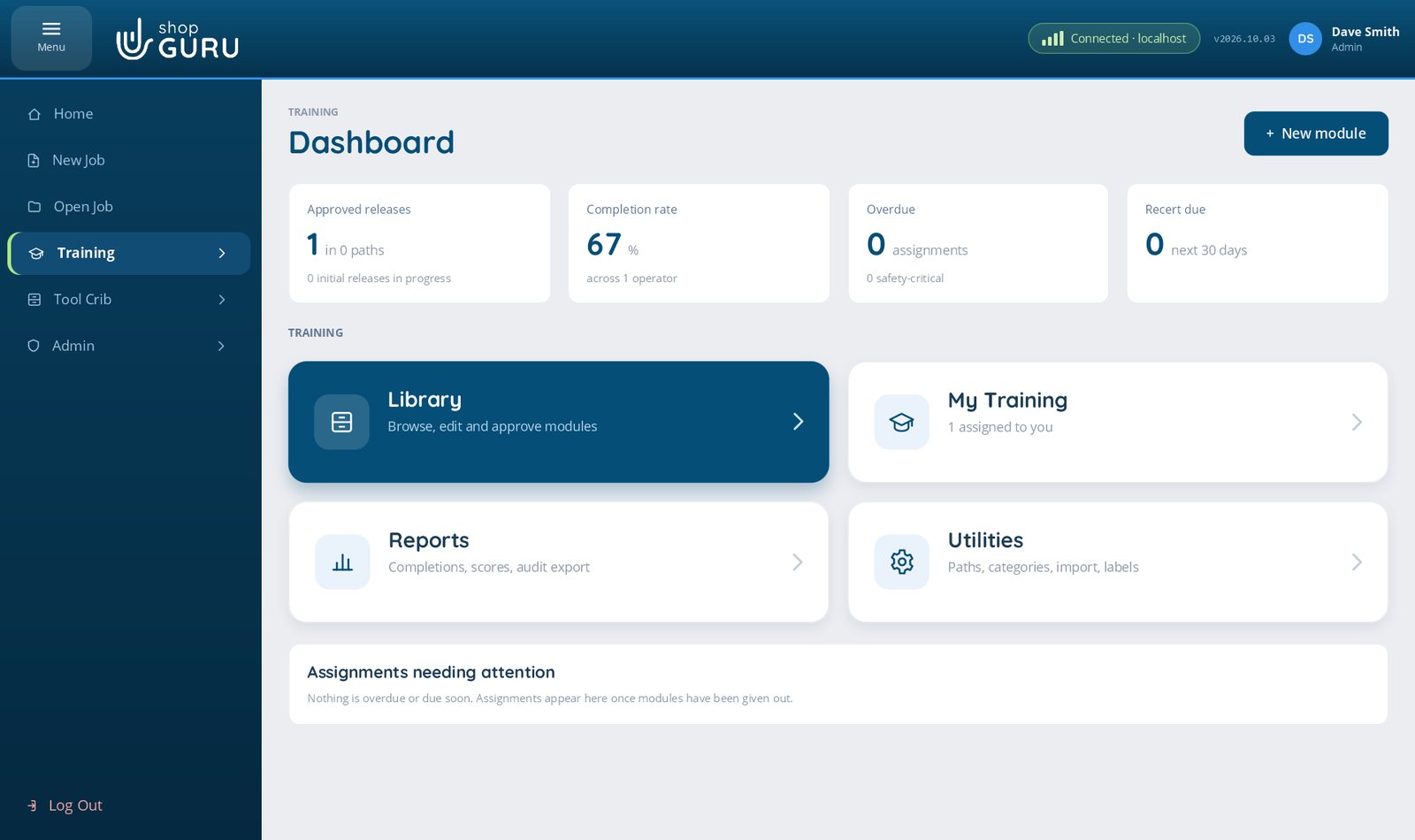
Train new hires, cross-train operators and re-certify everyone on schedule, from the way your shop actually works. Then show an auditor exactly who is qualified for what.
Why it matters
Someone good has to stop running parts to show them. What they learn depends on who they shadowed and what that person remembered to mention.
The setter with thirty years in leaves, and the reasons behind half the processes leave with him. Nothing about how he trained people was ever written down.
Sign-off sheets, a spreadsheet, and a calendar reminder. Nobody can say at a glance who is qualified for what, or who is overdue, until an auditor asks.
No separate system
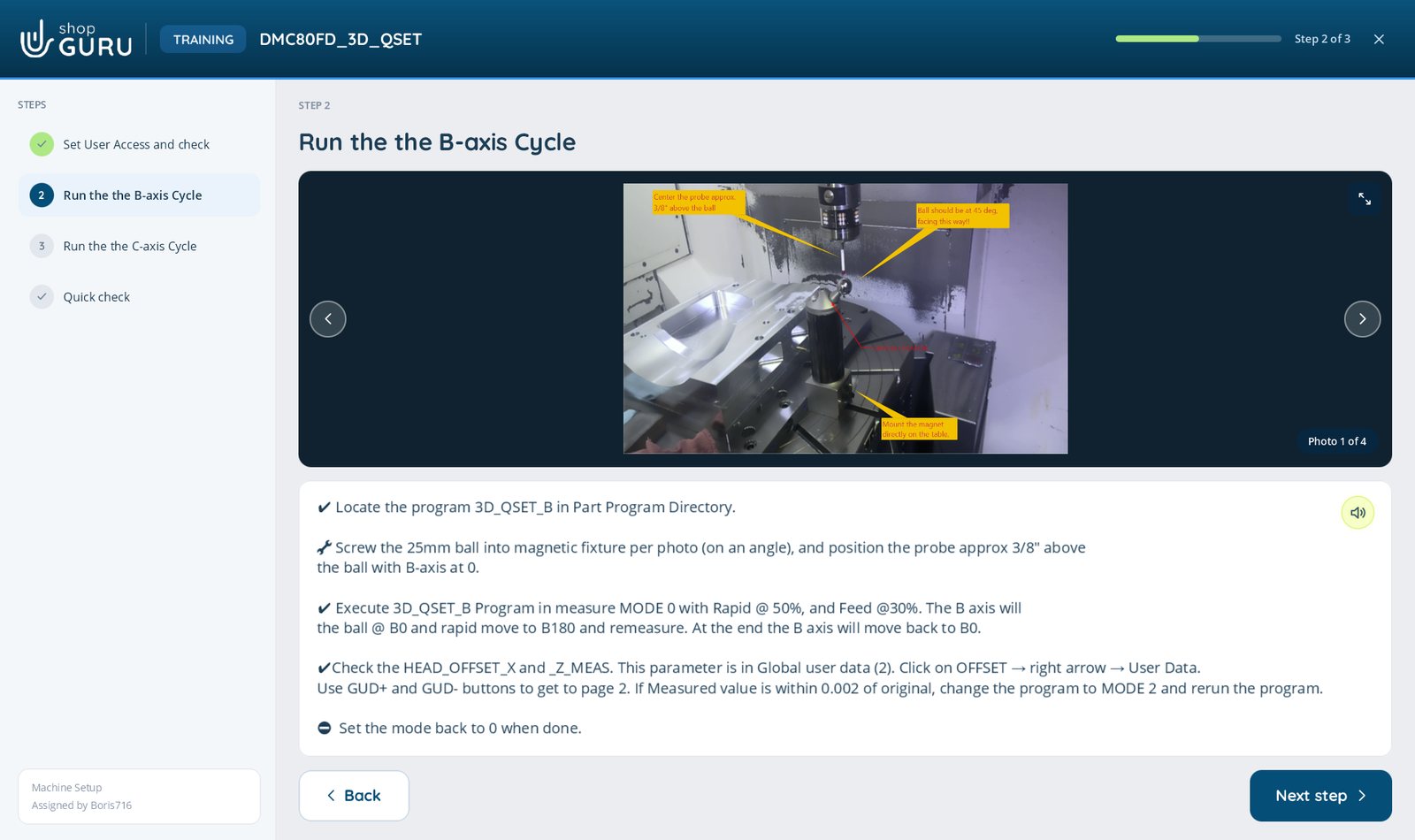
The photos, the videos, the markup and the documents your team already uses to write Job Files and Stepped Processes are the same ones you use to write training. Nobody has to learn a second program, and the training looks like the work.
Each step shows its document right beside the instructions, a drawing, a procedure, or a CNC program, so the trainee sees the real thing, not a description of it. And one tap on the speaker reads the step aloud, in the trainee’s own language.
How it works
1Write
2Approve
3Assign
4Take
5Prove
A look inside
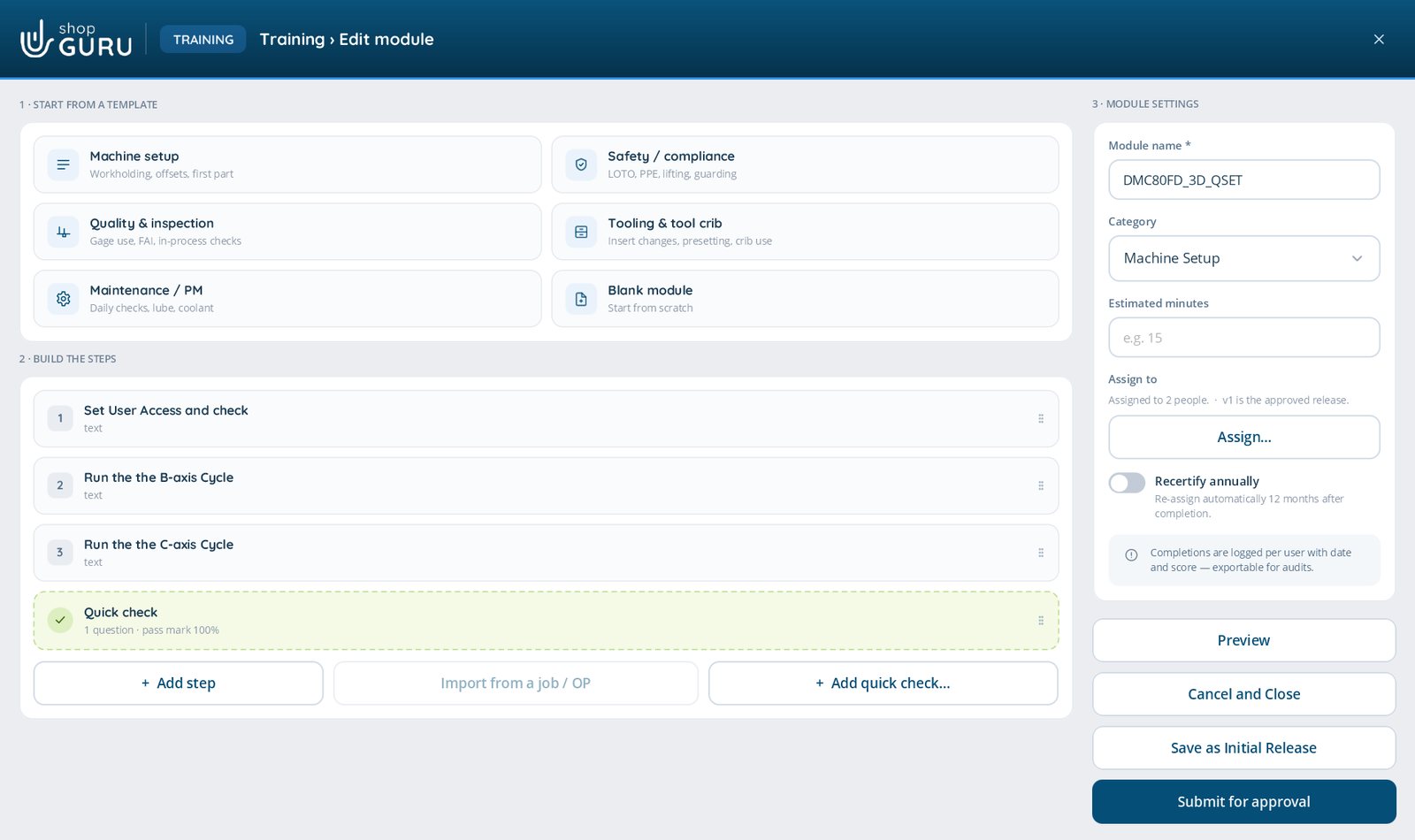
Pick a template, build the steps, drop in a quick check, then save it as an Initial Release or submit it for approval. Assigning and yearly re-certification sit right beside the steps.
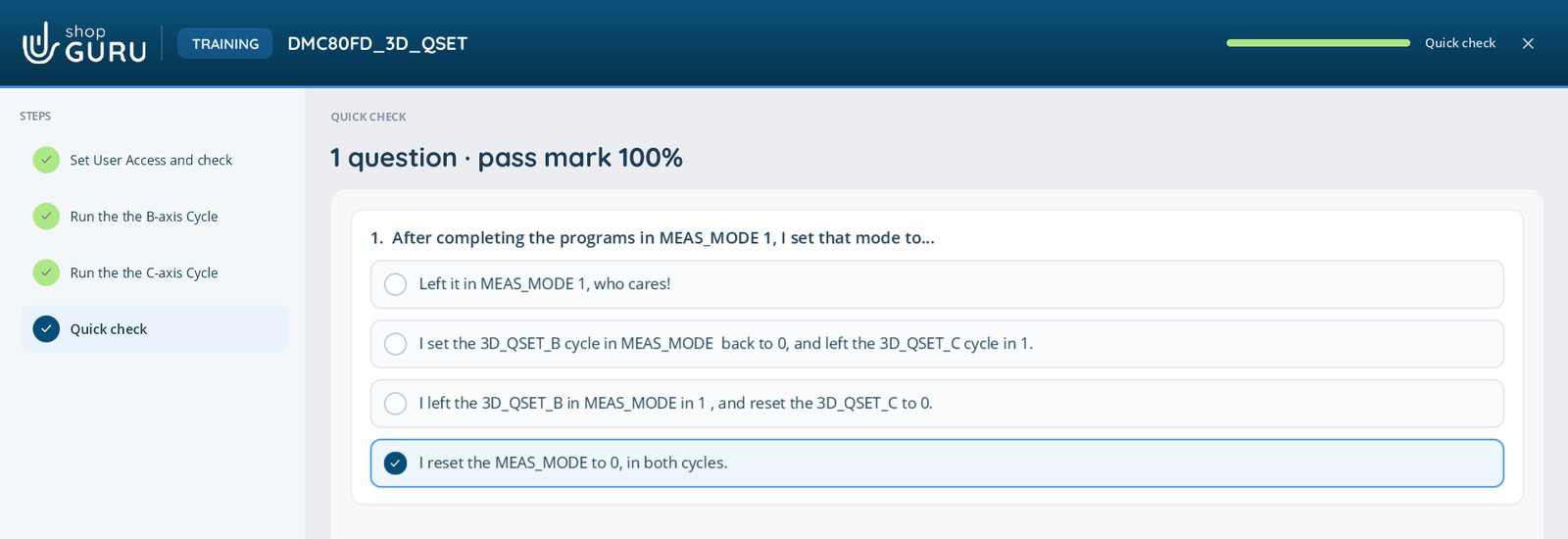
Questions sit between the steps, with a pass mark. The server marks the answers, so the trainee’s PC never has them.
For the quality manager
ISO 9001 and AS9100 both ask a manufacturer to make sure people are competent for the work they do, and to keep evidence of it (clause 7.2 in both). That evidence is usually the hardest part of an audit to pull together.
shopGURU Training keeps it as you go: every completion, score and sign-off, by person, module and version, exportable as an audit PDF.
shopGURU supports these requirements. It is not a certification and does not replace your quality system.
What every completion records
Questions
Training is an add-on to a shopGURU licence. When your licence includes it, Training appears in the menu, and permissions appear in Manage Roles for writing training, approving it and signing off a trainee.
Yes, or in German, French or Russian. Each person picks their language on the sign-in screen. The screens and the step text appear in that language, translated on your own shopGURU server, and Read aloud speaks it. A translated step always offers Show original.
Ready-made training modules from shopGURU. Import the package on the Training page and the modules arrive released and ready to assign, in their own shopGURU Basics category. They are protected from changes. To make one your own, press Copy: the copy is your shop’s module to edit, approve and assign.
No. It is part of the same shopGURU client and server, on your own network, using the same sign-ins and roles.
Each person’s run is their own. It has been tested with a thousand people taking the same module at the same time.
Yes. Modules export and import as .shopguru-training packages, so a module written at one installation can be used at another.
We will build it into a training module with you on the call, so you can see what your next new hire would get.
We use Google Analytics cookies to see which pages are useful, so we can make the site better. The chat window also keeps a cookie so your conversation follows you from page to page. Nothing is used for advertising. Privacy statement