
Import in one click
Bring your existing tool spreadsheet straight in. shopGURU’s mapping feature lines your columns up with its fields and imports the whole crib in a single click. No re-typing, no double entry.
The Job File
Open a job in shopGURU and the whole method is there. It starts on the operation description and a photo of the part, then carries everything an operator needs: the drawings, the workholding, the tools, the inspection, and the one note about the fixture that only matters on the second operation. It is the tribal knowledge your best people carry. Captured once, and owned by the shop. So the second time a part runs, it runs like the tenth.
Knowledge that lived in one head, made the whole shop’s.
One operation, walked across its sections, in the order the work actually happens:
Documents
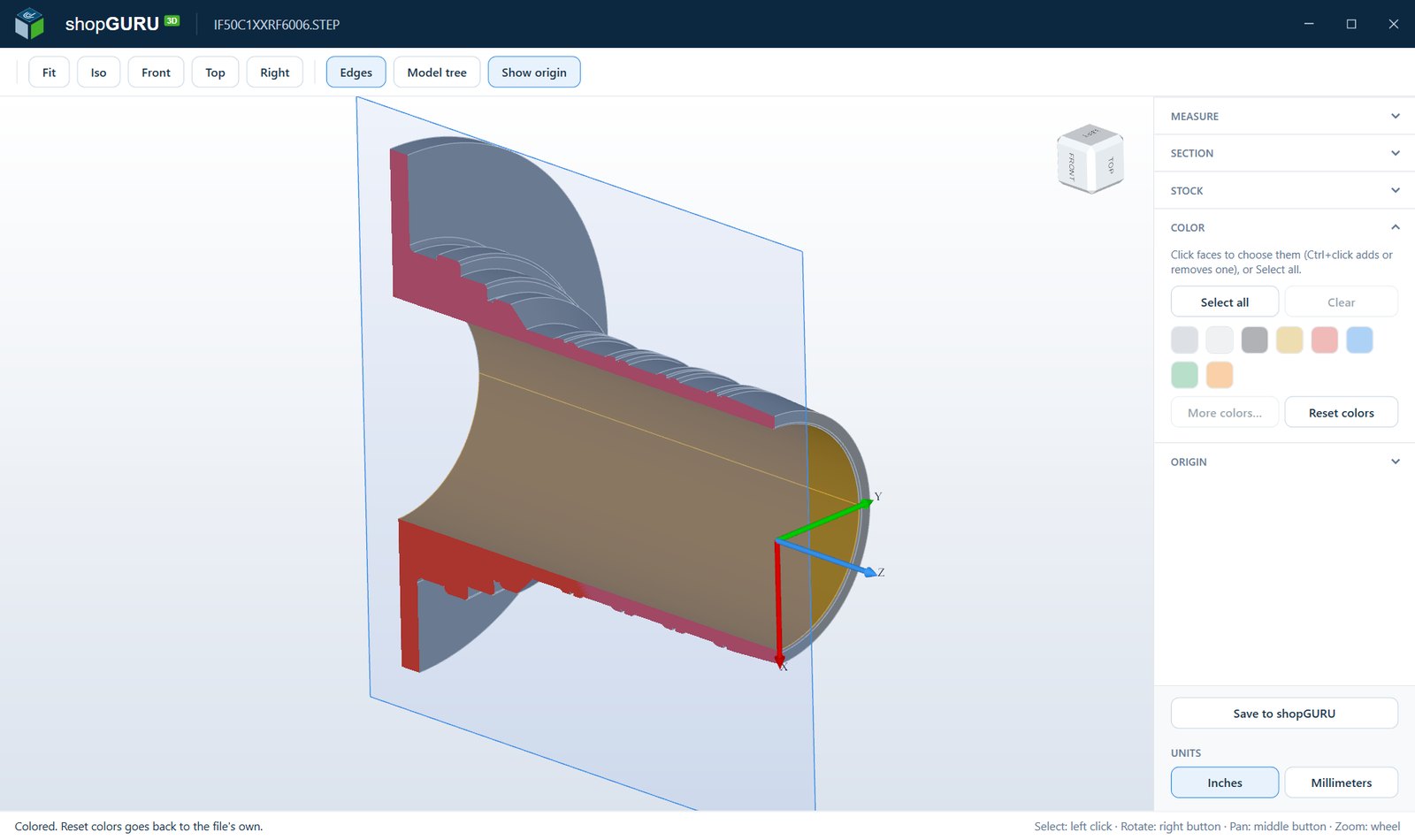
Drawings, specs, certificates and the CNC program hang on the operation and open inside shopGURU. The PDF prints and the G-code is searchable. 3D models open in 3DshopGURU, shopGURU’s own 3D viewer, where the operator can turn the part, measure it, cut a section through it, calculate the stock size and see exactly where the origin sits, instead of building the part in their head from a flat print. Color the faces that matter, set the origin to match the program, and save it back to the job, so the next setup sees the part the same way.
Workholding
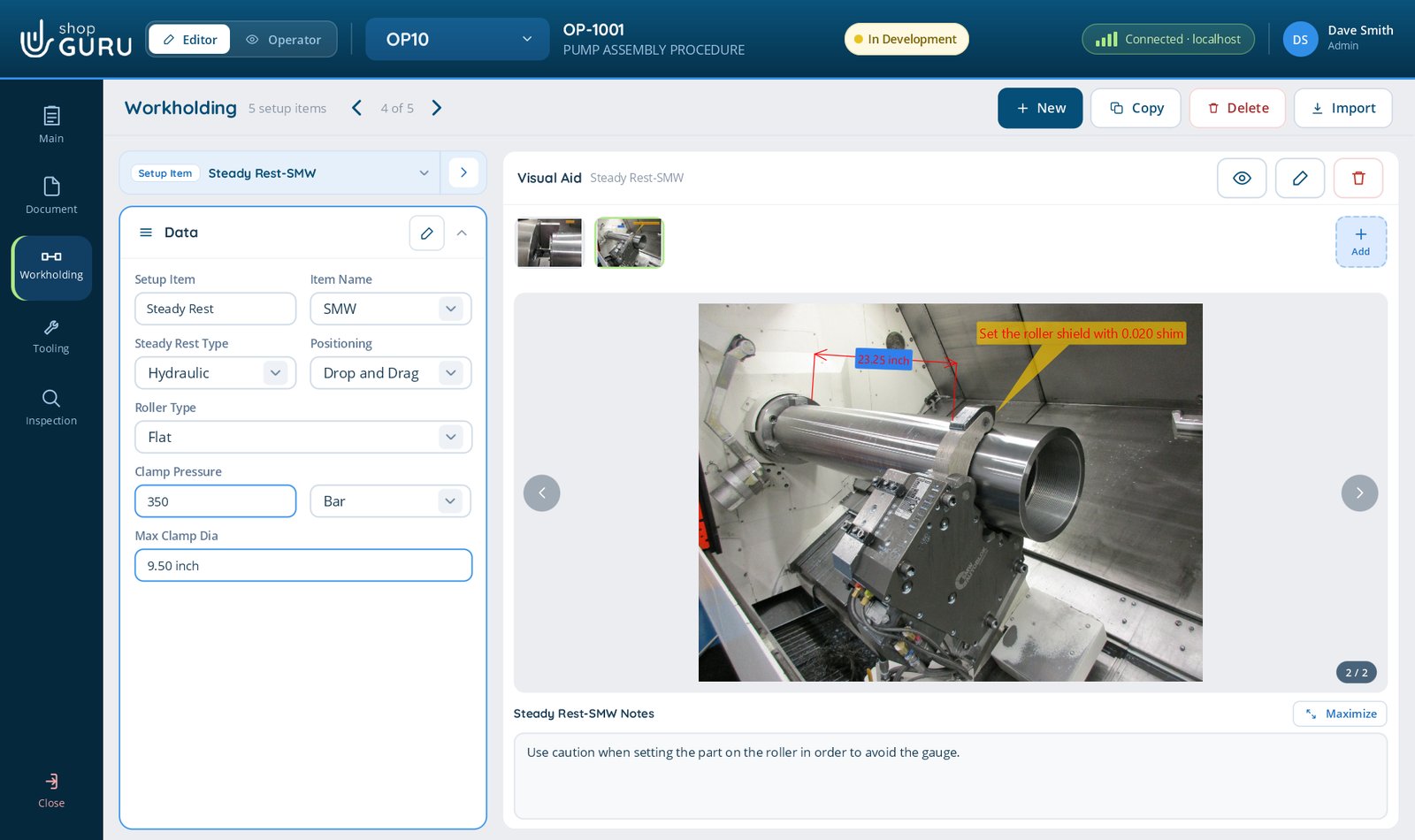
How the part is held: the fixture, the orientation, the work offsets, all captured with photos the first time it is proven out, and never reverse-engineered again. The setup that ate four hours the first time is minutes the next, for whoever is on shift.
Tooling
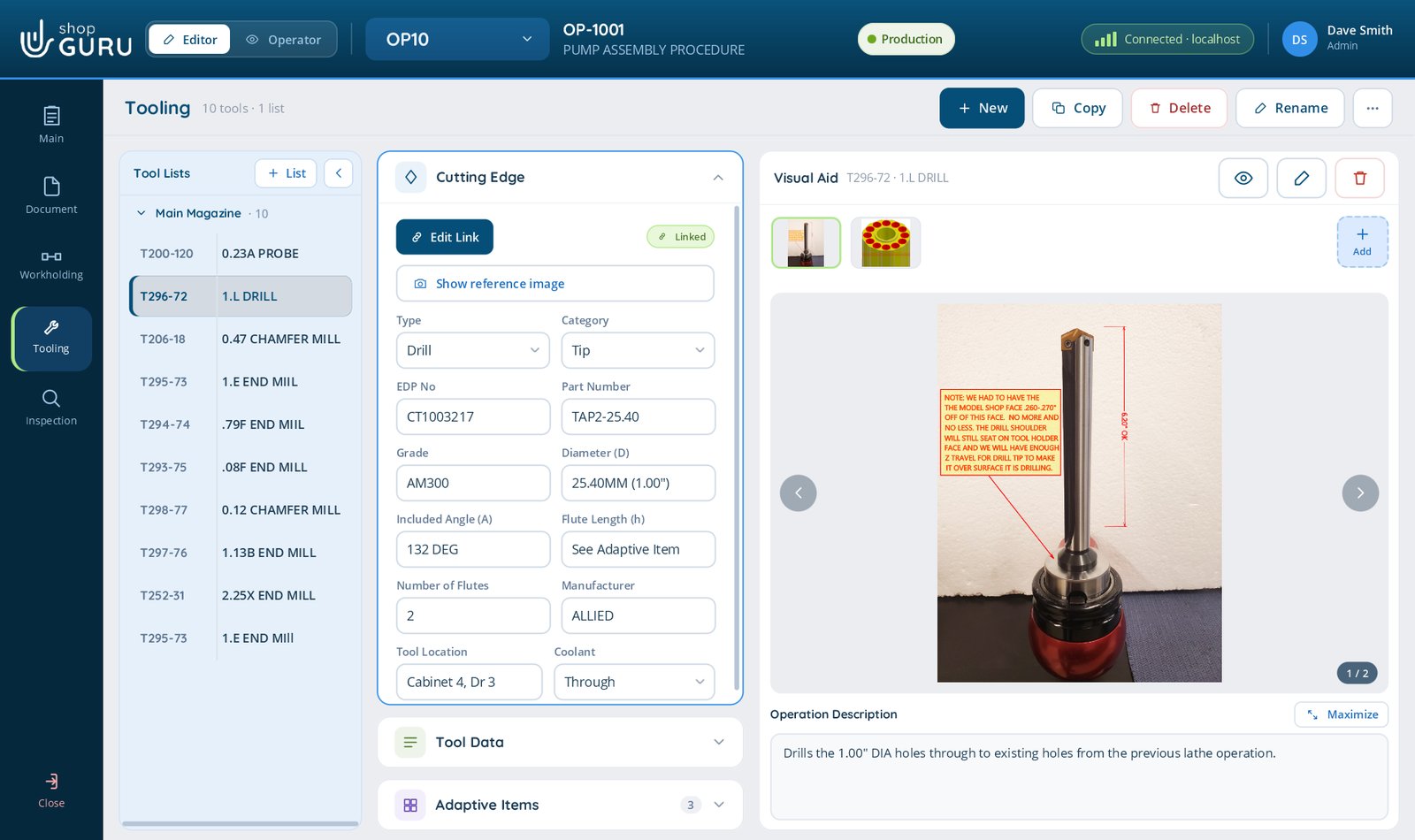
The full tool list for the operation, each tool with its cutting edge, its holder and its adaptive items, and each one can link to the shared Tool Crib. Print a label for every tool on the list, so the right tool goes into the machining centre every time, with no mix-ups at load. Wrong-tool mistakes and crashes stop happening.
Inspection
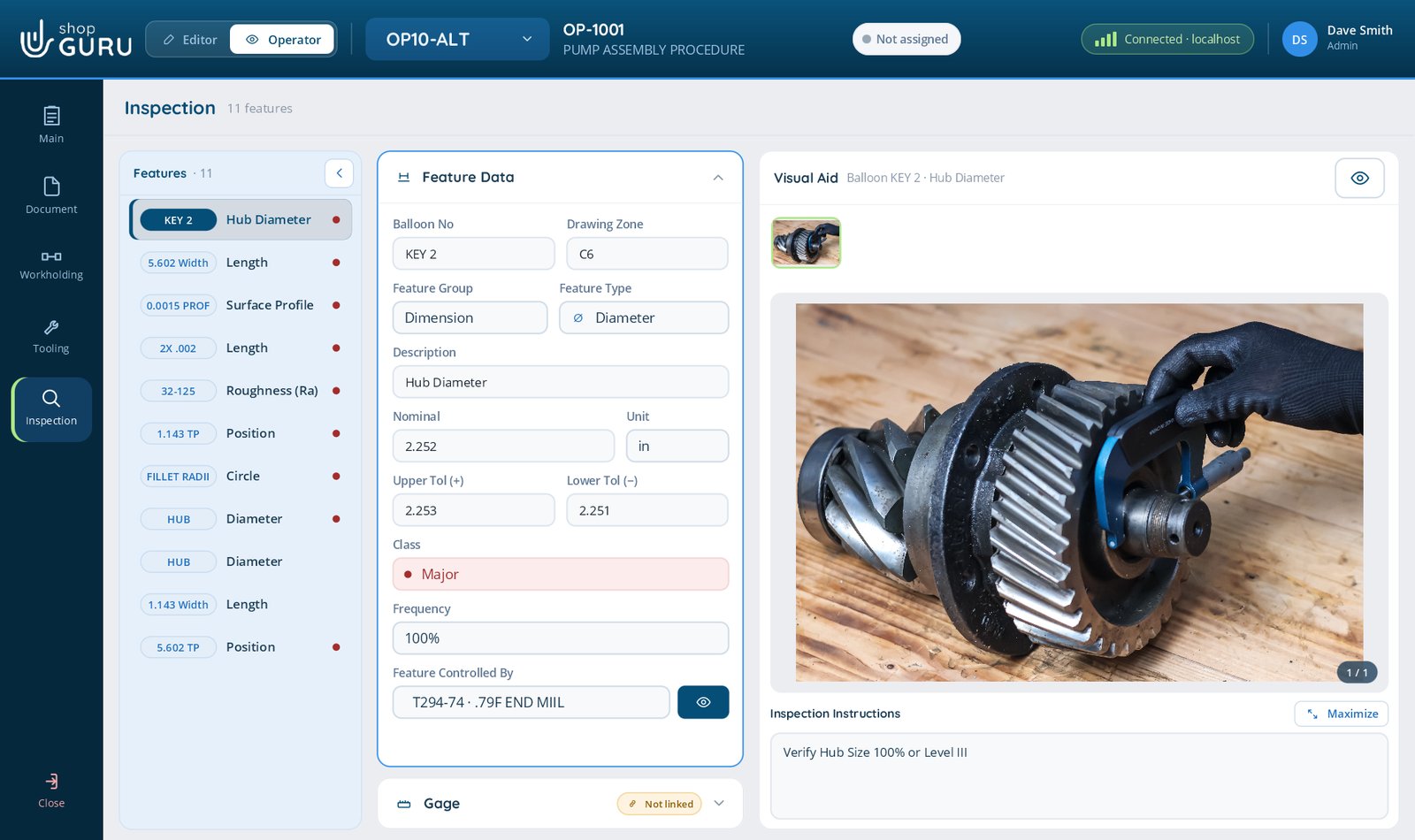
The dimensions to check, their tolerances and the gage to use, all pre-recorded, so quality is verified the same way on every run by whoever is running it. Consistency stops being a person and becomes part of the job.
Visual Aid
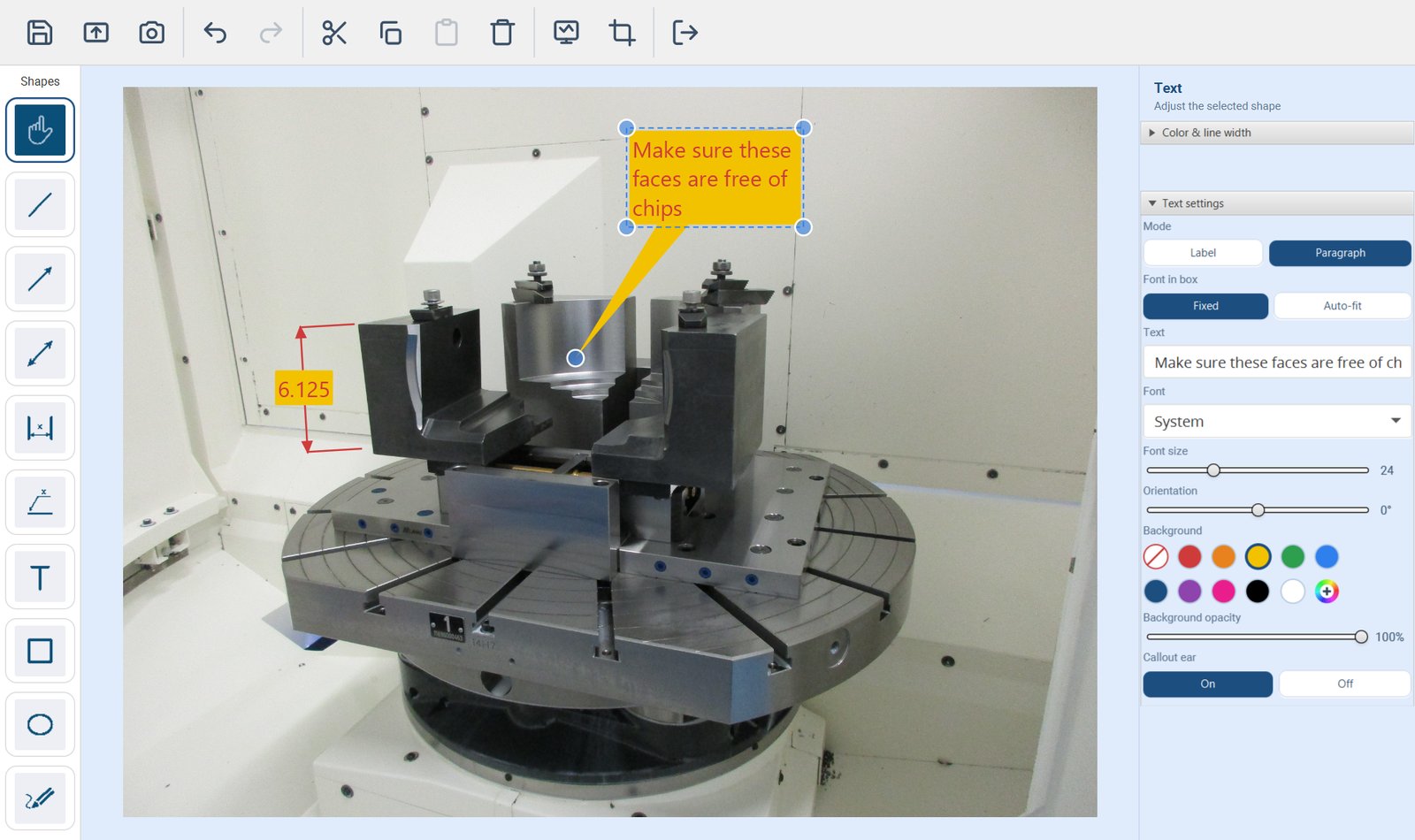
Workholding, Tooling, Inspection, and every step of a Stepped Process, all carry a large Visual Aid area. Capture a photo or record a video right from a device at the machine, upload from your files, or paste a screenshot straight in.
Then open the shopGURU markup tool and annotate every photo with arrows, dimensions, shapes, freehand and text, right on the spot that matters. Each markup saves as a re-editable project, not a flattened picture, so you can reopen it and change an annotation any time.
Videos get the same treatment in the video editor: trim to the seconds that matter, draw on the moment it counts, add captions or your own voice-over.More on the video editor →
The Tool Crib
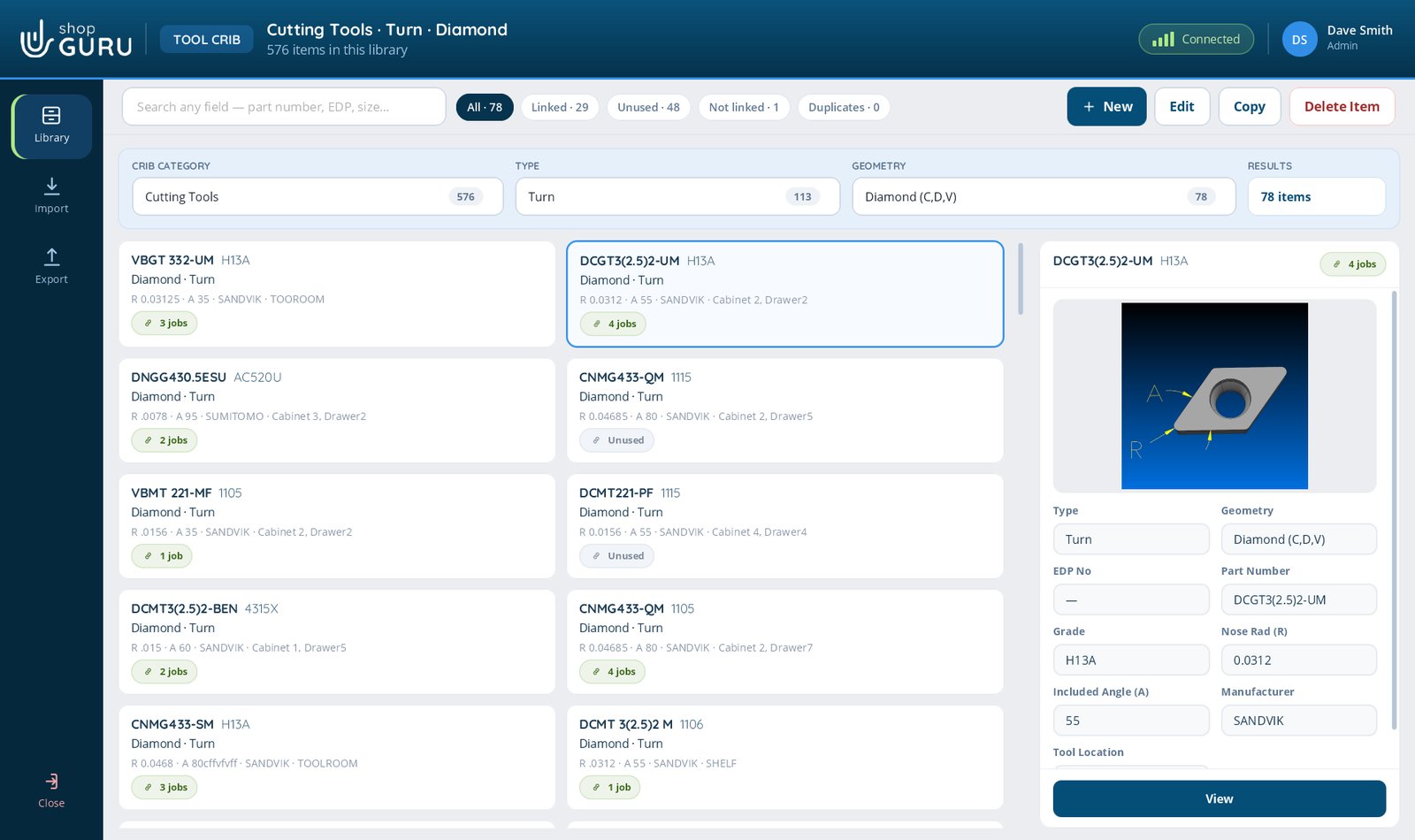
Every tool on a job can link to the Tool Crib, your shared library of cutting tools, holders, gages and bills of materials. Jobs link to crib items instead of copying them, so change an insert grade once and every job that uses it is current. Ask which jobs use a tool before you discontinue it, and get an answer.
Bring your existing tool spreadsheet straight in. shopGURU’s mapping feature lines your columns up with its fields and imports the whole crib in a single click. No re-typing, no double entry.
Send the crib out as Excel or CSV, or as the shopGURU-crib file, a single flat file that carries the photos and 3D models with it, not just the numbers.
Rename any field to match how your shop talks. Call EDP# a Stock Number if that’s what your team says on the floor. The crib speaks your language, not ours.
The method gets written down as the work is done, so the record exists as a by-product instead of a project nobody has time for.
We use Google Analytics cookies to see which pages are useful, so we can make the site better. The chat window also keeps a cookie so your conversation follows you from page to page. Nothing is used for advertising. Privacy statement