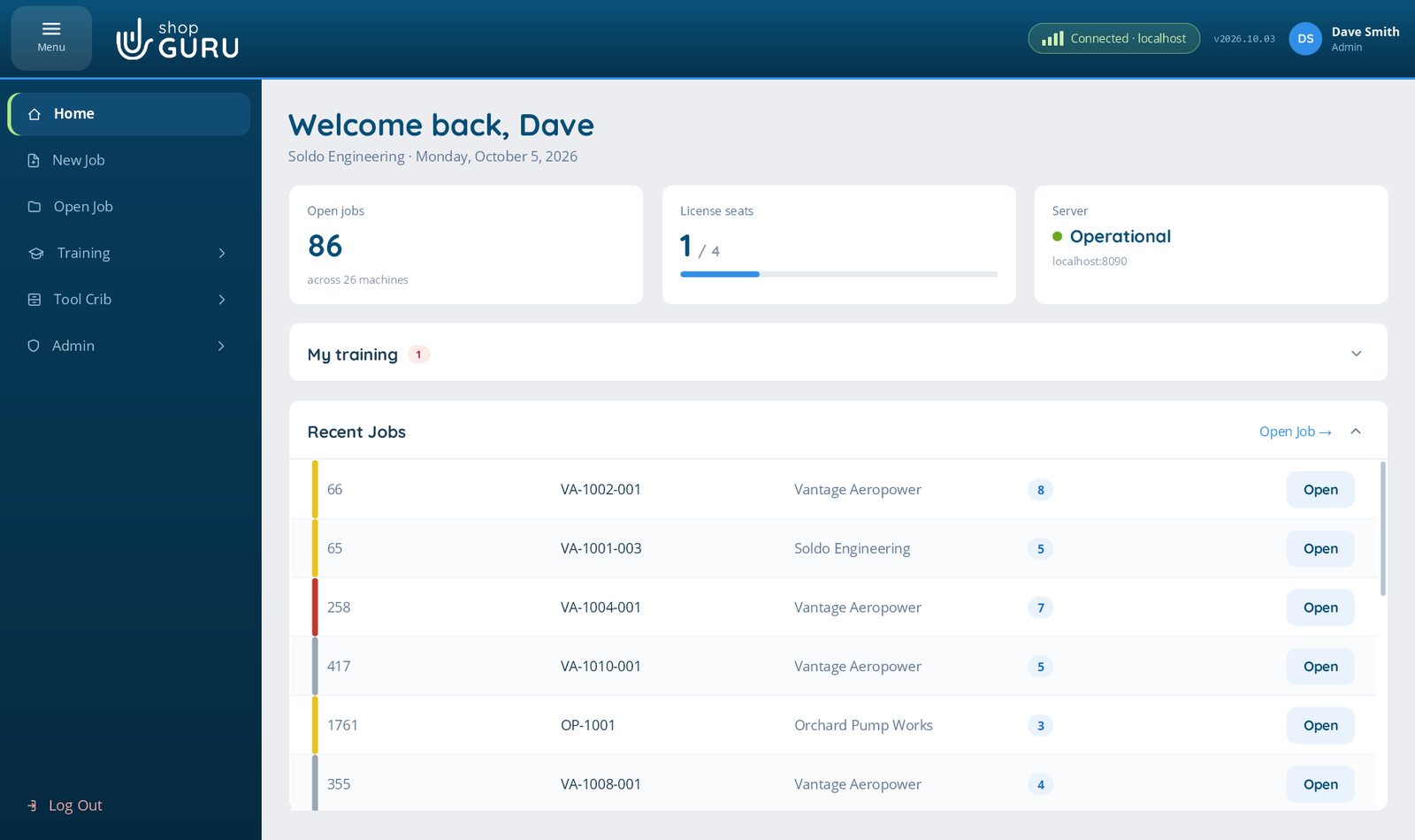
Three jobs, one system: setting up CNC work, running every other process step by step, and training the people who do both. Every line on this page is something the current release actually does.
01Machining
Set up CNC jobs right, every time
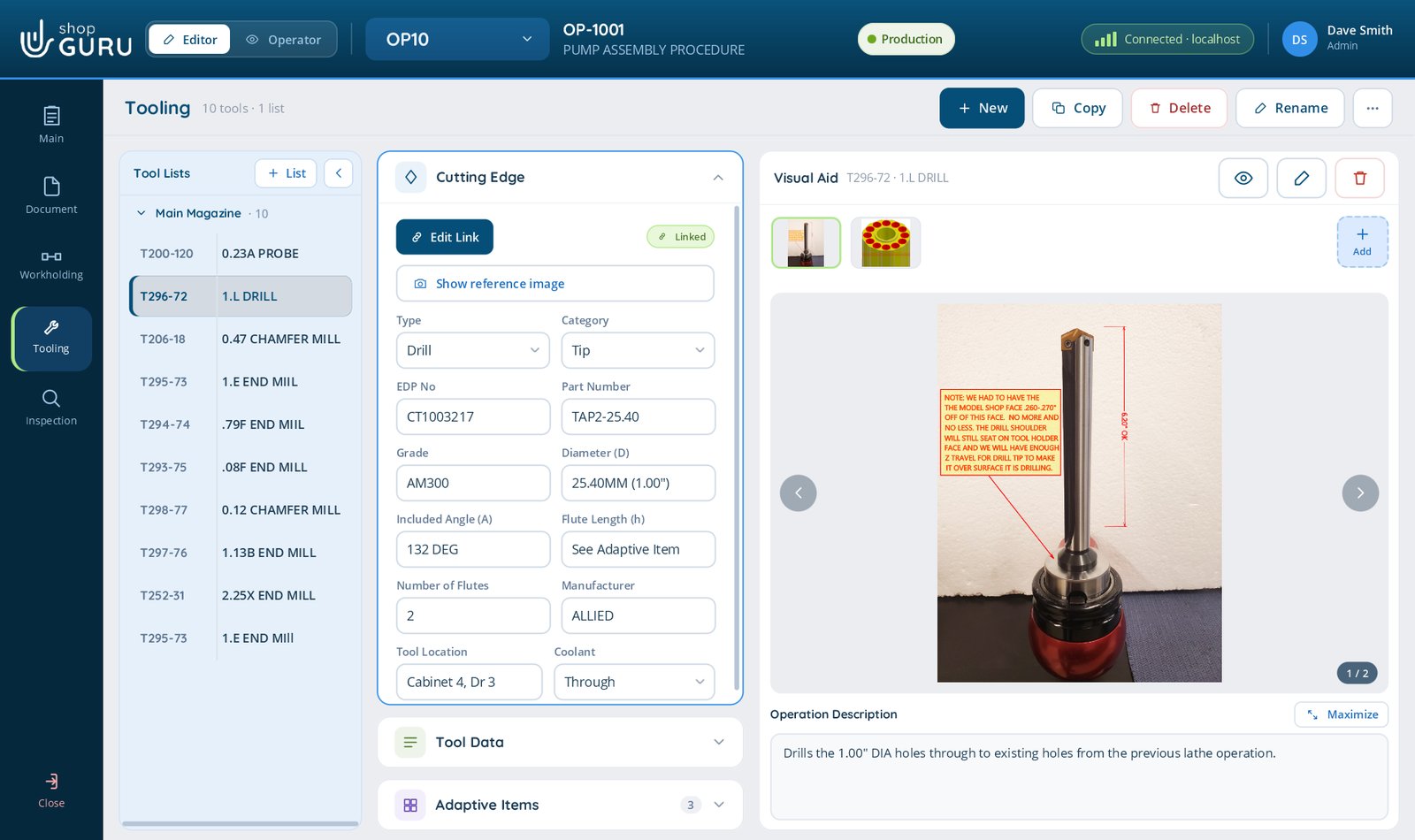
The Job File holds the whole method for each operation: documents, workholding, tooling and inspection, with photos at every step.
Documents, workholding, tooling and inspection for each operation, in the order the work happens. Written once by the person who knows it, run by whoever is on shift.
Documents, drawings and CNC programs open inside shopGURU, including Word, Excel, PDF, HTML setup sheets, DXF and eDrawings
3D models (STEP, STL and eDrawings) open in 3DshopGURU, shopGURU’s own 3D viewer: measure, cut a section, calculate the stock size, color faces and set the origin, then save it back to the job. The model it replaces is kept
The Document page previews the selected document beside its fields, with the 3D model you can turn, move and zoom right there
Workholding with photos, notes and work offsets for each operation
More than one tool list per operation, one per turret or magazine, with drag and drop between them
Tool life, number of indexes, and the insert arithmetic that follows from them
A pick list for the run quantity, and a printed label for every tool so the right one goes in the machine
Job templates, and Setup Items and Techniques your shop shapes to the way your setters work
Two people in one Job File, each seeing the other’s changes as they happen
Editor and Operator views of the same job, so the floor never sees the authoring tools
Visual Aid and markup
A picture at every step, taken where the work is
Capture a photo or video from a camera at the machining centre
Scan a QR code with any phone and the picture lands in the gallery. Nothing to install on the phone
Read photos straight off a camera or phone plugged into the PC
Videos from phones and cameras in AVI, WMV, MKV, WebM, 3GP or FLV are converted to MP4 and play
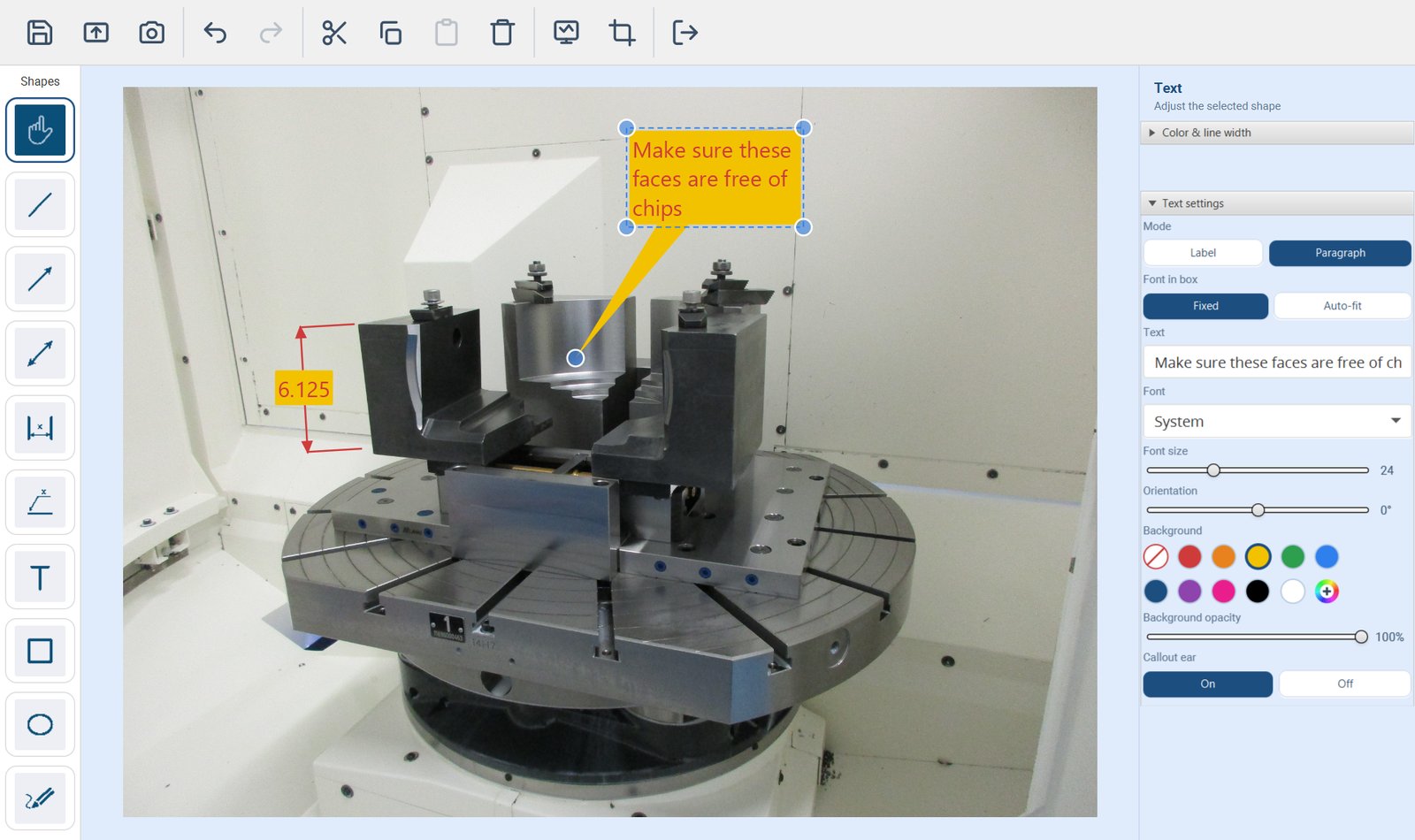
Mark up any photo with arrows, dimensions, shapes, freehand, text and images, in any colour
Every markup stays editable. Reopen it next year and move the arrow
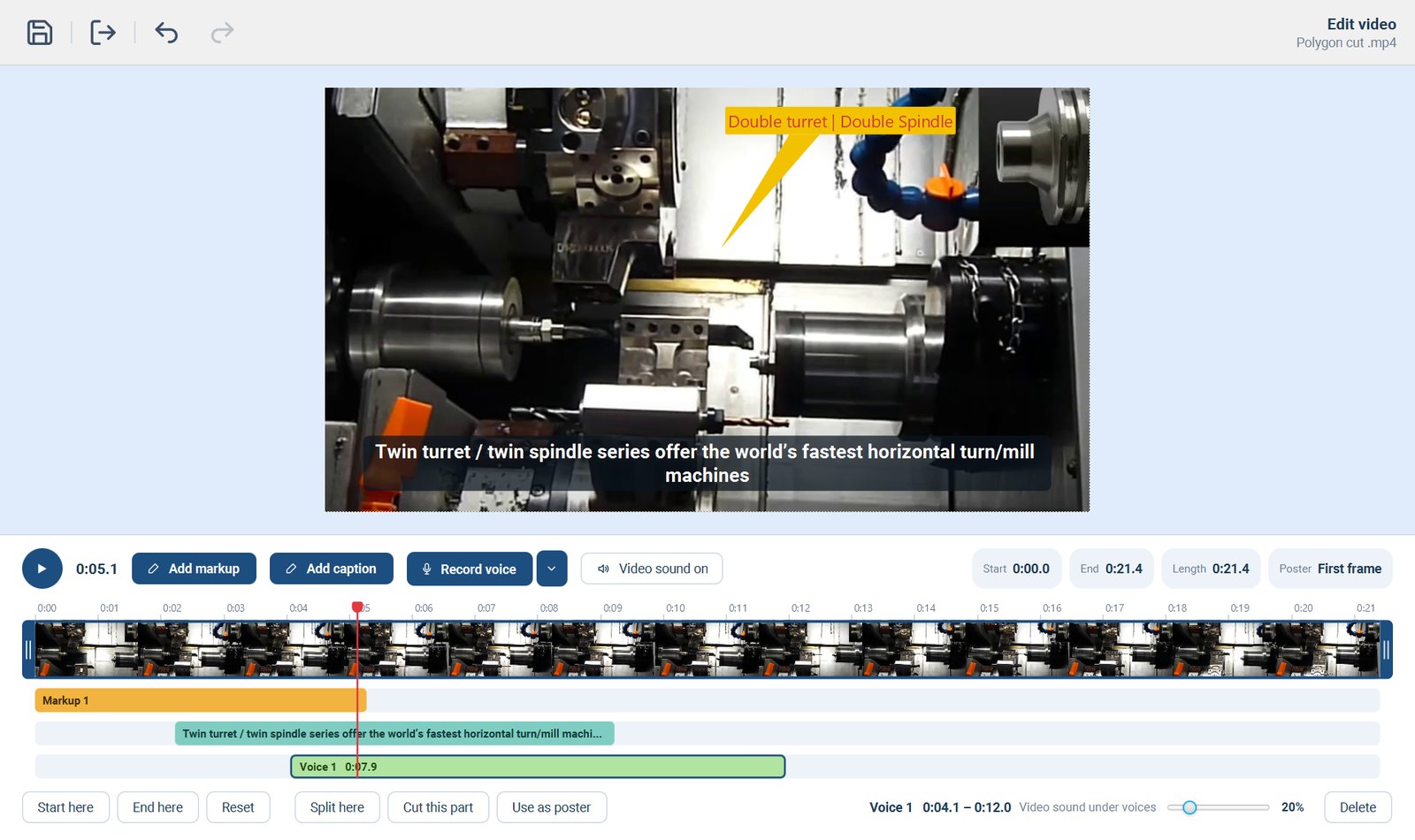
Trim, mark up, caption and add a voice-over to any video in the built-in video editor
Video editor New
Show the move, then point at it while it happens
Some steps are easier to show than to write: how a part seats in the fixture, the order a clamp goes down, where a burr hides. Record it on a phone at the machine, then trim it, mark it up and talk over it without leaving shopGURU.
Trim to the part that matters
Keep only the seconds the operator needs on a timeline, or split the video and cut out a middle part. The original file is never changed, so a trim can be widened again later.
Mark it up at the right moment
Draw arrows, circles and text at a point in the video. They appear while that moment plays, and the video can pause there on its own so the operator has time to read them.
Voice-over, and captions from speech
Record your own commentary straight from the editor and mute the shop noise. Then press From speech: shopGURU writes the captions from what is said, each one timed to its words, and every viewer reads them in their own language.
One edit, everywhere it plays
The edited video plays the same in the Job File, the gallery, the viewer and Training, and travels with Job Packages and Training packages sent to another shop.
Captions from speech understand English, Spanish, German, French and Russian, and recognize the language by themselves
It all runs on your own shopGURU server, so no recording leaves the building. A minute of speech takes about half a minute
Every caption stays editable. Play it back and fix a word misheard over machine noise, as you would one you typed
Clear a whole lane of markup, captions or voice-over in one click. Ctrl+Z brings it back
Choose the frame shown as the video’s picture before it plays
Undo and redo for every change in the editor
Stepped Process
Not only machining. Anything you do in steps.
Assembly
Deburring
Maintenance
Packing
Procedure
Shipping
Testing
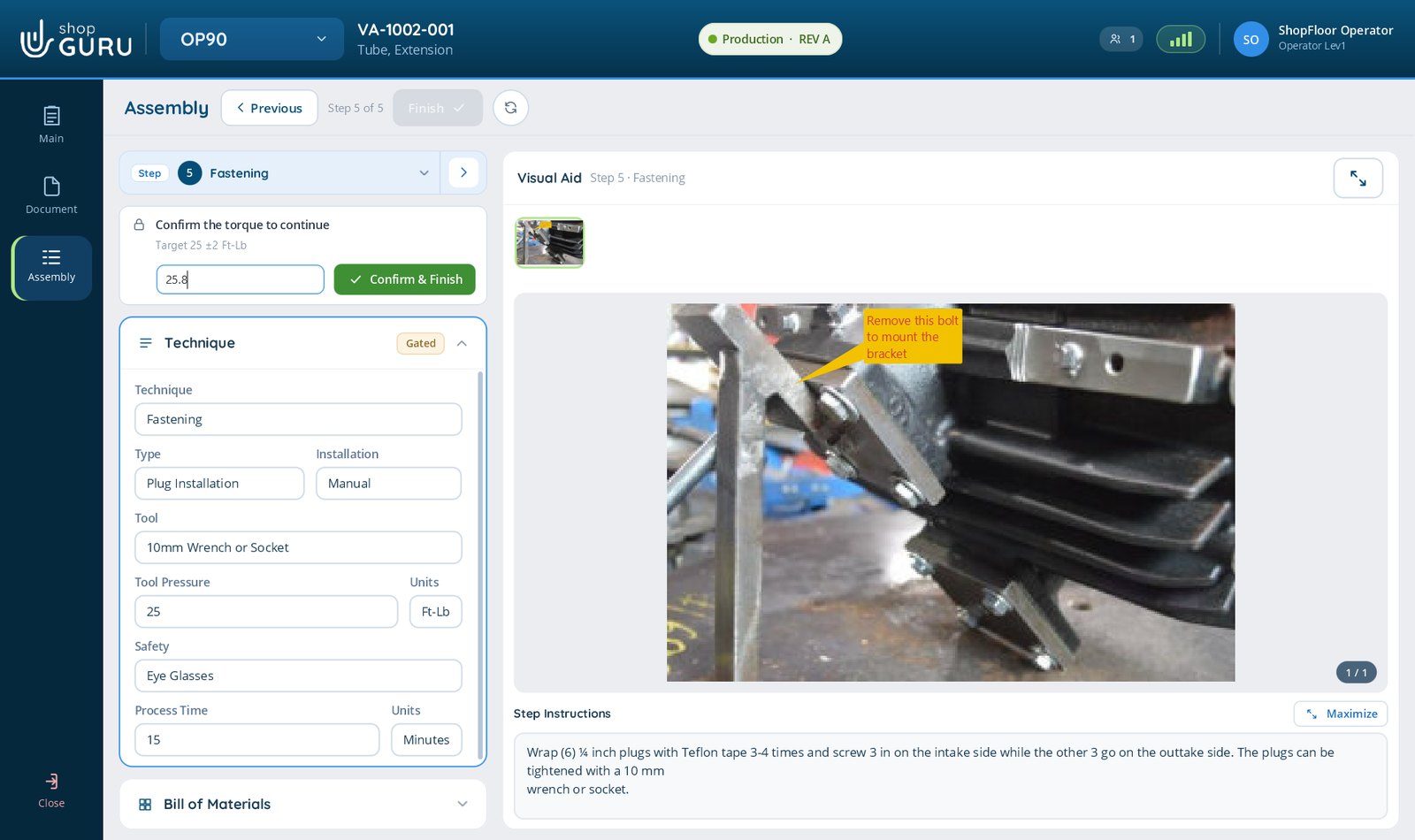
Each step built from a technique: Welding, Gluing, Riveting, Fastening, Inserting, Pressing, Cleaning, or your own
A Bill of Materials on each step, linked to the Tool Crib, with quantities, photos and 3D models
Gates that make the operator acknowledge a step, enter a measurement, or capture a photo before moving on
A reading out of tolerance is flagged and has to be acknowledged. It never quietly passes
Serial numbers that carry on by themselves, one part per serial, and time recorded on each step
A landscape PDF report per part, with every reading and the photograph as evidence
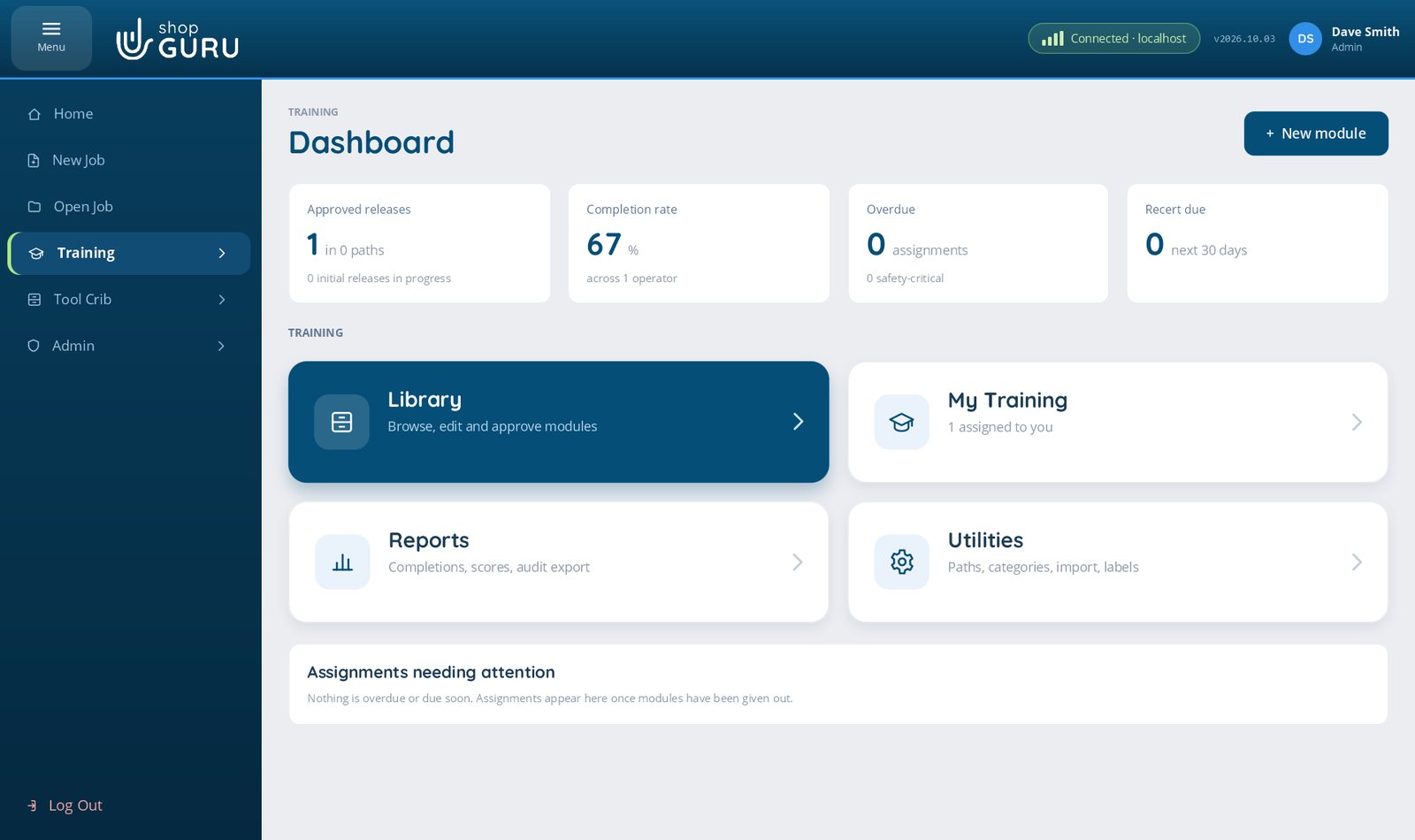
Training Add-on
Train people on your own processes, and keep the proof
Build training from the way your shop actually works, give it to the right people, and show an auditor who is qualified for what. Training is available as an add-on to a shopGURU licence.
1
Write it
Step by step, with photos, video, documents and 3D models, the same way you write a Job File. Quick checks, a question bank, and steps that need a supervisor’s sign-off. Or import shopGURU Basics, ready-made modules that arrive already approved.
2
Approve it
Initial Release, then Pending approval, then Approved Release. Only an approved module can be given out, and editing one makes a new version.
3
Give it out
Assign to roles, to named people, or both, with a due date and a repeat schedule for yearly re-certification. Learning paths give several modules in order. Overdue training marked Block Open Job keeps that person out of Job Files until it is done.
4
Take it
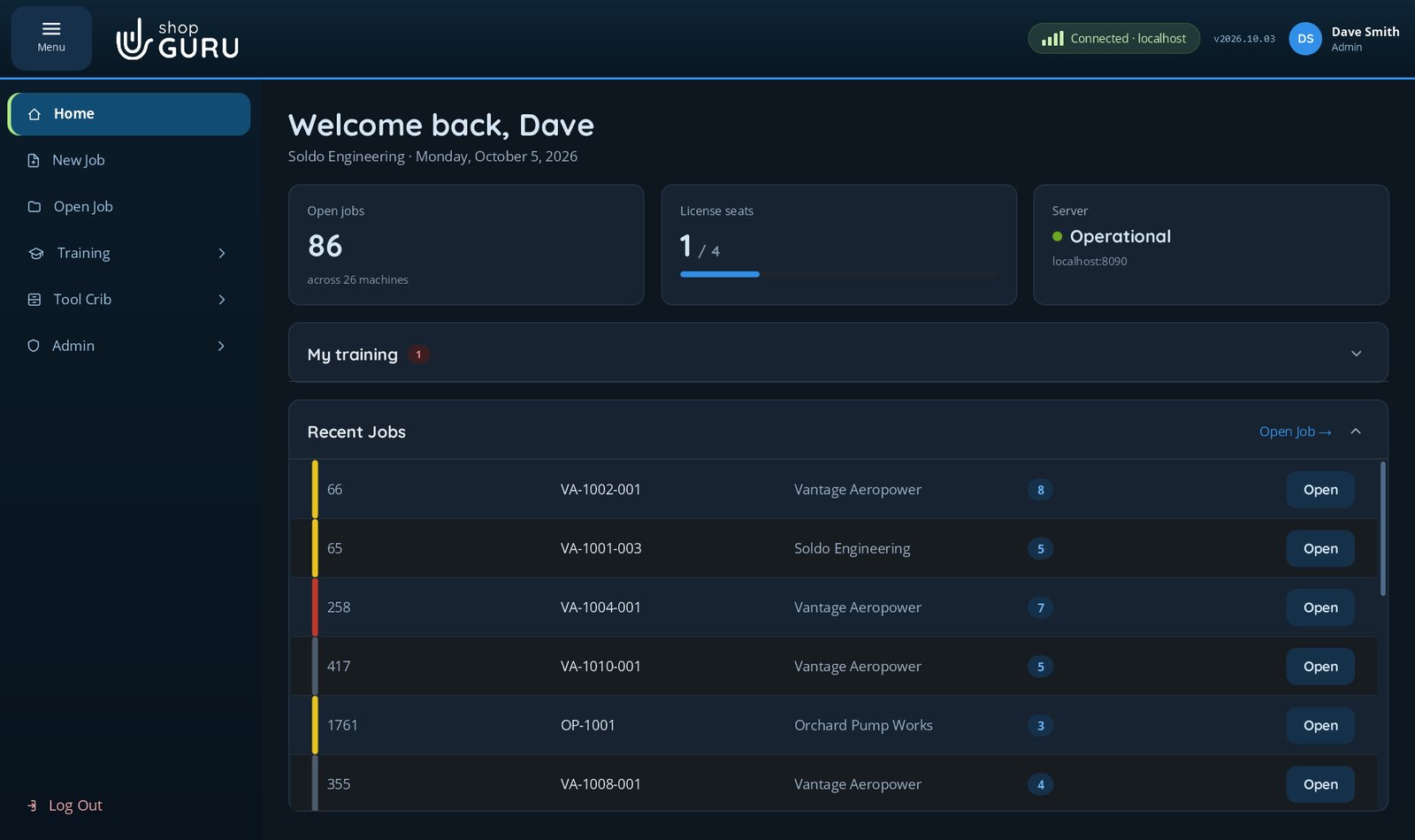
My Training on the operator’s home screen. Each person takes it in their own language, and the player reads a step aloud in that language. Answers are marked by the server, and a supervisor signs off with their own sign-in.
5
Prove it
A dashboard of completion, overdue and re-certification due. Reports that sort by any column and show every quick-check try, with an audit PDF. Records kept seven years by default.
Each person’s progress and score are their own, and a module left part-way picks up where it was left. Tested with a thousand people taking one module at the same time.
shopGURU runs in English, Spanish, German, French and Russian. It is not only the buttons: the work instructions, notes and captions your people type are translated too, on your own server, so the operator reads the setter’s words in the language they think in.
English
Español
Deutsch
Français
Русский
ENClean the fixture faces before loading the part.
ESLimpie las caras del dispositivo de sujeción antes de cargar la pieza.
DEReinigen Sie die Auflageflächen der Vorrichtung, bevor Sie das Teil einlegen.
One step, typed once in English, read in each person’s own language. A translated box always offers Show original.
Each person picks a language with one click on the sign-in screen. It is saved to their account and follows them to any PC
Two people can work in the same job at the same time, each in their own language
Every screen, message, date and count appears in the chosen language
Typed text is translated too: work instructions, notes, step text and captions. A translated box says so, with Show original beside it
Correct translation fixes a word once and teaches shopGURU your shop’s own terms, for everyone
Translation runs entirely on your own shopGURU server. No text leaves the building
Text that makes no sense stays as typed, rather than being “translated” into something that sounds right
Choose the languages your shop needs when the server is installed, and add or remove them later
PDFs and printed pick lists stay in English
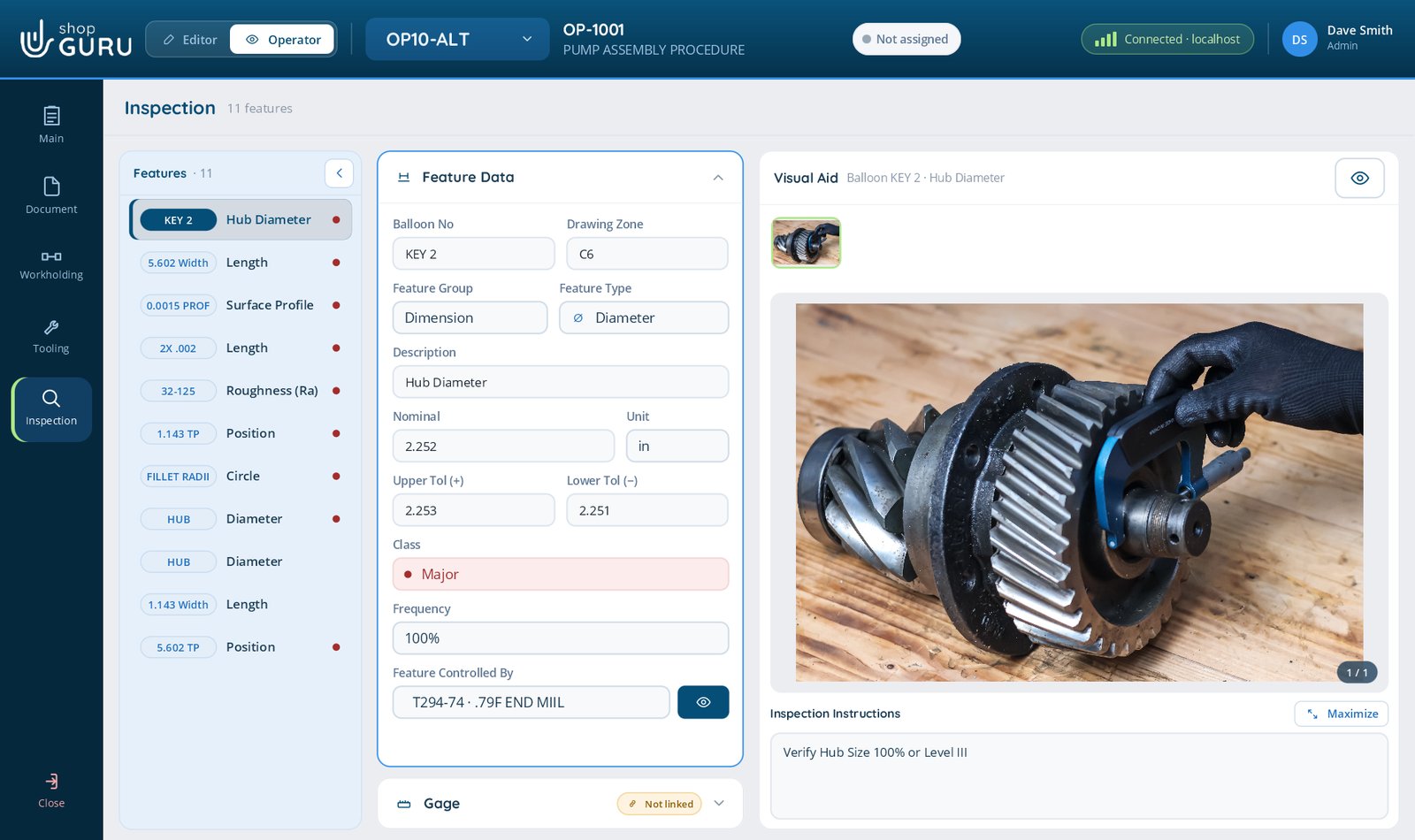
Inspection and First Article
Checked the same way on every run, and signed off by someone else
Features with nominal, tolerances, class, frequency and the gage to use, linked to the measuring tools in your crib
Readings recorded against a work order, with piece numbers counted against the order
Operator mode: the specification across the top, the drawing given the height, and room for the keypad
Visual features, for checks whose answer is a word rather than a number
First Article sign-off with a queue. The person who measured cannot approve their own work
An inspection report with who took each reading and when
Revision Watch
Nobody runs last month’s print
shopGURU watches engineering’s drawings folder. When a new revision arrives, or the drawing disappears, the floor stops until someone with authority says it may go on.
1
A new revision lands
Engineering saves Rev K of the drawing to its usual folder. shopGURU is watching it.
2
The floor is told
An open job checks its drawing every minute. Operators are asked to stop and see a supervisor. Nobody runs Rev J by mistake.
3
The job locks
Production operations drop back to In Development, the Job File locks under a banner, and the job log records it.
4
An approver acknowledges
Once someone with the authority acknowledges Rev K, the job opens again. An old print already open in a viewer is stamped SUPERSEDED.
Raised only on proof: a drawings share that is down changes nothing. Attaching an older revision than the job already has asks first.
Phases, roles and audit trail
Who wrote it, who approved it, and who is allowed to run it
Phase belongs to each operation, so a job can be half proven and the floor sees only the half that is
Custom roles built from capabilities: who can create, edit, see documents, upload pictures, approve a phase
Revision control on released operations, with a Job File Log of every revision
Sign in with Windows, or a shopGURU password. A password set by an administrator must be changed at first sign-in
Four separate audit trails: sign-ins, who opened or changed which job, every phase change, and the system log
Every operation carries a phase
Initial Release
Being written. Operators cannot see it.
In Development
Being proved out on the machine.
Production
Proven, and open to any operator.
Each role says which phases it may see. Out of the box, operators see Production only, and an operation they cannot see is simply not in their list.
Reports
The record your auditor asks for
Revision and approval history
Per job. What changed, who approved it, and when.
Stepped Process traceability
Per part. Every reading, out-of-tolerance values flagged, the serial number, and the photo.
Inspection report
A band per part, with who took each reading and when.
Usage
Who is using shopGURU, from Admin › Reports.
Job File Log
One block per revision of a job, filterable by operation. Who changed what is never lost.
Training audit
By module, role, status and date range. Part of the Training add-on.
Tool Crib
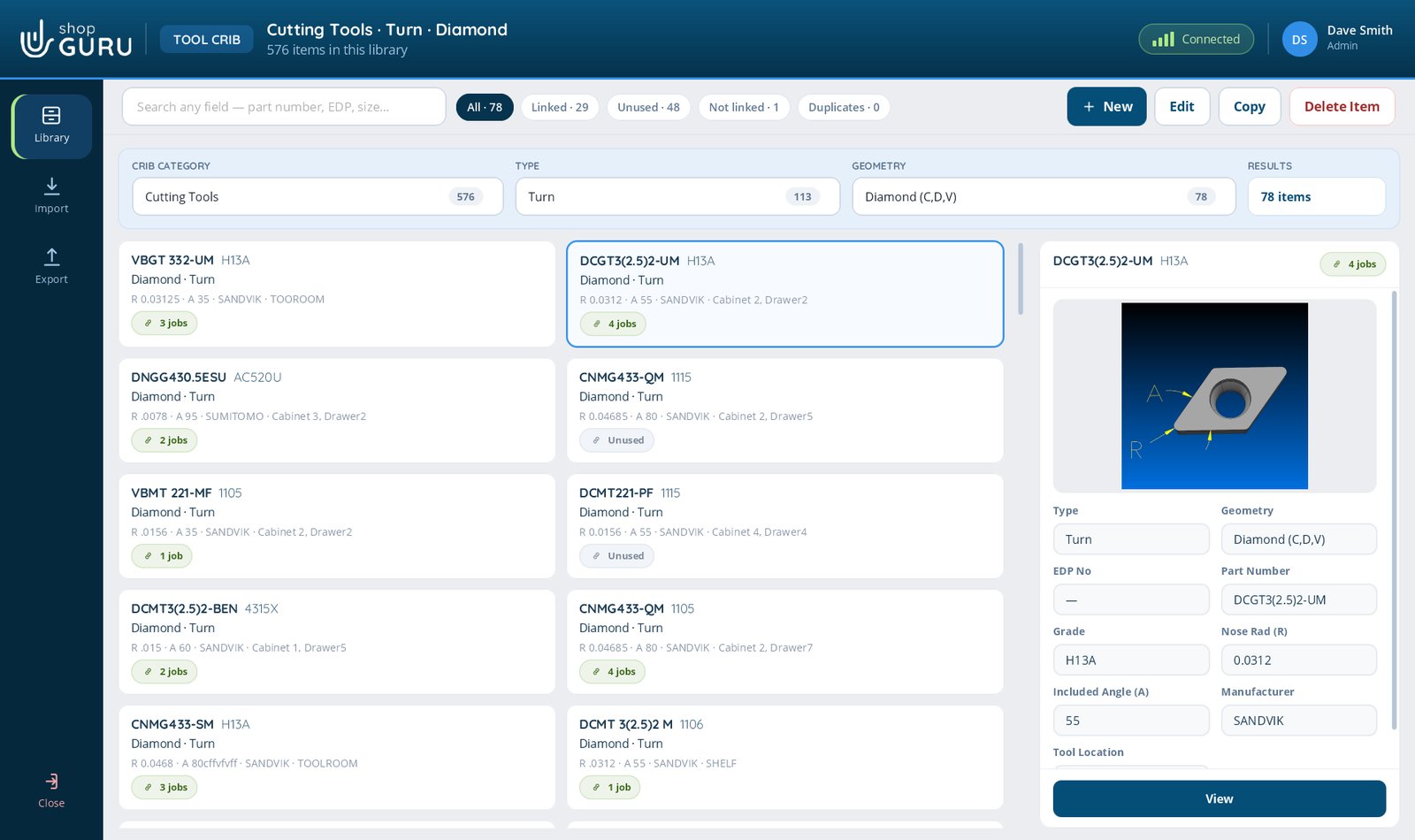
One library behind every job
Four libraries: Cutting Tools, Adaptive Items, Measuring Tools, and Bill of Materials
Jobs link to crib items instead of copying them. Change an insert grade once and every linked job is current
Every item shows how many jobs use it. Link, unlink, or replace it across jobs from its Job Log
Import your own spreadsheet, mapped to shopGURU’s fields, with a review step before anything changes
Export to Excel, CSV, or a crib package that carries the photos and 3D models with it
Rename any field. If your shop says Stock Number instead of EDP#, so does shopGURU
New in 2026.10.03 · Dark mode
Easy on the eyes on second shift
A Light and Dark switch on the sign-in screen turns every shopGURU window dark at once: the Job File, the Tool Crib, Training, dialogs, the viewers and the markup tool. Each person’s choice is remembered on their PC.
Light is exactly as it was. Nothing changes for anyone who leaves it alone
Drawings, PDFs and photos keep their true colours, and so does your markup
Anything printed or exported comes out the same either way
The same screen, one switch apart. Try it.
Your server, your data
Installed in your shop, and it looks after itself
On your network
The server runs on a Windows machine inside your shop. Jobs, pictures and documents never sit in a vendor cloud.
Backed up before every update
Scheduled and on-demand backups, and the server copies its database by itself before any update touches it.
Updates itself
Install the server, and each PC updates the next time someone signs in. Data stays put through every upgrade.
Floating seats
A licence holds a number of seats. A seat is taken at sign-in and handed back at sign-out or after inactivity.
Job packages
Move a complete job, with its tools, drawings and bill of materials, to another shopGURU installation in one file.
Built for the floor
Touch-first at a tablet, second-monitor aware, and Windows Snap. The drawing stays open while the instructions run.
Straight answers
What shopGURU is not
A quality manager will ask. Better you hear it here first.
It is not cloud software. That is the point.
It is not certified to AS9100 or ISO 9001. Its roles, approvals and audit trails support a quality system that is.
It does not do SPC or capability studies, machine monitoring, or inventory and stock control.
It runs on Windows, client and server.
See it on your own parts.
Bring the setup only one person can do. We will put it in shopGURU and show you what it looks like when anyone can.
We use Google Analytics cookies to see which pages are useful, so we can make the site better. The chat window also keeps a cookie so your conversation follows you from page to page. Nothing is used for advertising. Privacy statement